Treat the nail set, its seller, and its fulfillment option as separate checks. Confirm all three on the selected listing.
1. Set your store and how you want the item
On Walmart's site or app, use the fulfillment selector to choose Pickup, Delivery, or Shipping. Confirm your selected store or delivery address before comparing results. Walmart's help instructions explain that search filters can narrow items by how and when you want to receive them; wording may vary between the app and website.
For a store visit, start with the official store finder below. If a listing only shows shipping, do not interpret its arrival estimate as a promise that the product is on your local store's shelf.
2. Read who sells and ships the nails
Find the seller information on the item page. Walmart identifies sellers with wording such as Sold by or Sold and shipped by. Select the seller's name when you need more information. The product brand and the seller are separate details: recognizing a brand does not identify the business fulfilling that particular offer.
Walmart also explains that Marketplace inventory can be stored in its fulfillment centers, with Walmart handling packing and shipping. That arrangement does not turn a Marketplace seller into Walmart itself. Read both the seller and fulfillment fields rather than drawing a conclusion from one badge.
| Listing detail | What it answers |
|---|---|
| Brand or collection | Which nail product is being described? |
| Seller | Which business is offering this item? |
| Shipping or fulfillment information | Who handles sending it? |
| Pickup availability | Can I collect this exact item at the selected location? |
3. Compare complete sets using the same checklist
Search for press-on nails, then refine the product itself: short or longer length, preferred shape, finish, and adhesive type. Open each candidate and confirm the chosen variation. A broad product title or attractive first image may describe a collection with several different options.
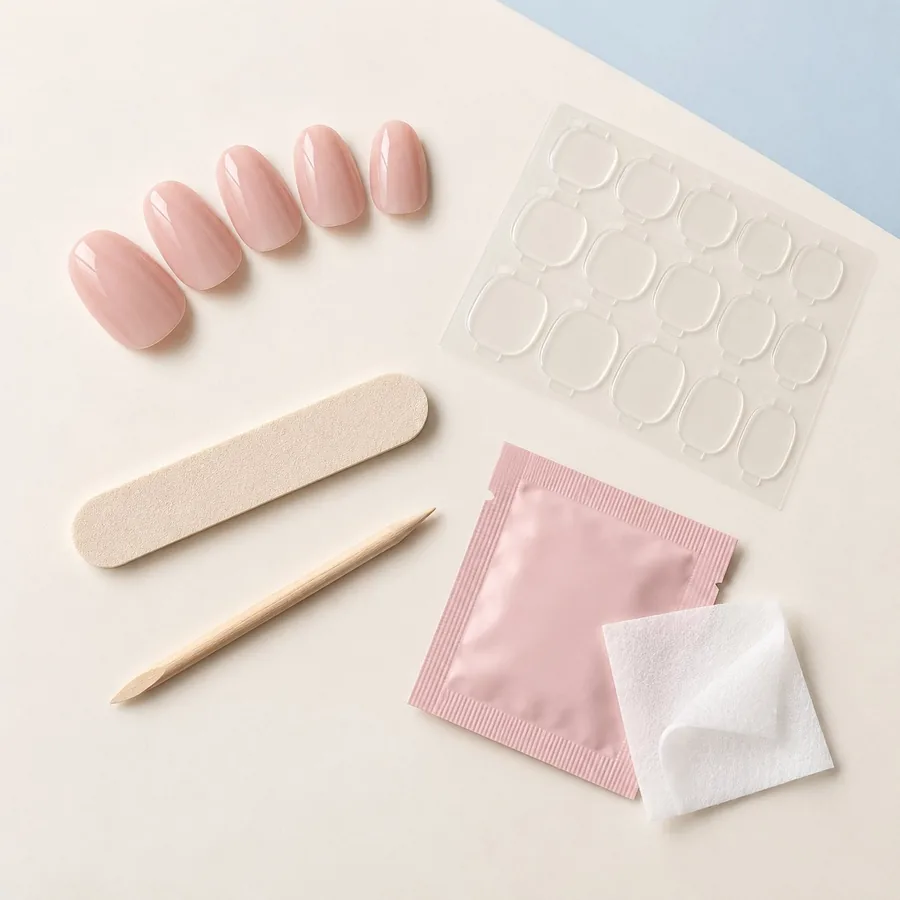
Compare the written package contents. Check whether glue, separate adhesive tabs, or pre-attached adhesive are specified. A large number of nail pieces is not a substitute for a usable range of sizes. If width or curvature is a recurring fit issue, look for measurements or a sizing chart before deciding.
- Record the exact style and variant, not just the brand.
- Look for dimensions, included sizes, and the attachment method.
- Read application and removal directions for that set.
- Compare the full displayed cost and fulfillment timing for each offer.
4. Make a final fulfillment check
Recheck your store, chosen variation, and fulfillment method before proceeding. If you order for pickup, wait for Walmart's ready notification and follow its check-in instructions. A submitted order and a ready order are different stages.
When a result does not match your preferred pickup option, compare a different listing or use the broader nearby-store guide. This page does not rank individual Walmart sets or claim current local stock; its purpose is to help you read the offer accurately.
A few common questions
Are all press-on nails on Walmart.com sold by Walmart?
No. Walmart.com also has Marketplace sellers. Read the seller information on the exact item page.
Does shipped by Walmart mean the nails are available for local pickup?
That wording describes shipping fulfillment. Check the separate pickup option for the item and your selected store.
Sources & reading notes
This guide explains general considerations. Product labels and instructions vary, so check the specific kit and adhesive you use.
Get to know Kittiva.
Explore the designs and kit details on the brand’s own website. Check current contents and delivery availability before choosing.
Read our Kittiva spotlightThis editorial project supports Kittiva.